


 Our Manifest
 Infrastructure
 Performance & SEO
 Advanced features
Your video platform ,
within WordPress
Host, process, organize, and play your videos without relying on ad-heavy players, external brands, or panels disconnected from your website.

Pomatio video hosting
Convert your video into a native WordPress element. You upload the original file; the platform takes care of processing it, generating the necessary versions, protecting it, and delivering it to each visitor in the appropriate quality.
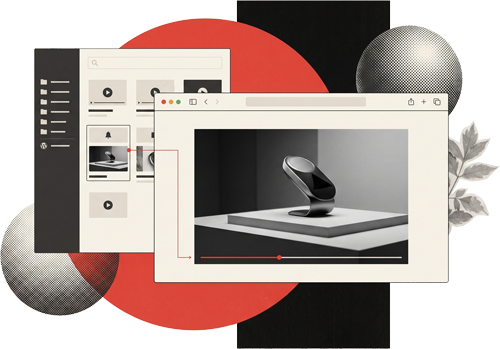

Professional video without leaving your ecosystem
- No third-party advertising.
- No YouTube or Vimeo logos.
- No permanent public links to the archive.
- HLS adaptive streaming.
- Global delivery via Amazon CloudFront.
- Automatic quality based on screen and connection.
- Customizable player.
- Background videos without external controls.
- Preview thumbnails on the timeline.
- Folders, searches, and batch actions.
- Sortable and reusable playlists.
- Transparent control of storage, processing, and transfer.
Your video is no longer an external piece.
Embedding a video should not mean sending the visitor to another platform, accepting its brand image, or loading a player designed to keep the user within an external service.
With Pomatio video hosting , video becomes part of your website:
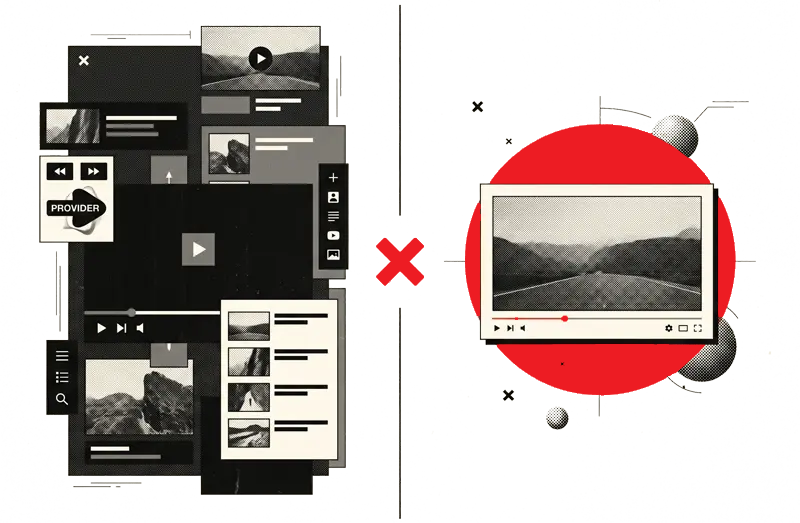
- It is managed from WordPress
- Use the colors and controls of your visual identity
- It plays without advertising or external recommendations
- It can be part of pages, templates, content, headers, and backgrounds
- It is delivered from an infrastructure specifically prepared for video.
Your website maintains control of the experience. Pomatio keeps the engine running.
From the original file to a video prepared for each screen
01 Upload directly from WordPress
Drag one or more files to the video library. The upload happens directly from your browser to private storage, without passing multi-gigabyte files through PHP or the traditional media library.
Each upload has its own progress and can be paused, resumed, canceled, or retried.
02 Pomatio analyzes and processes the video
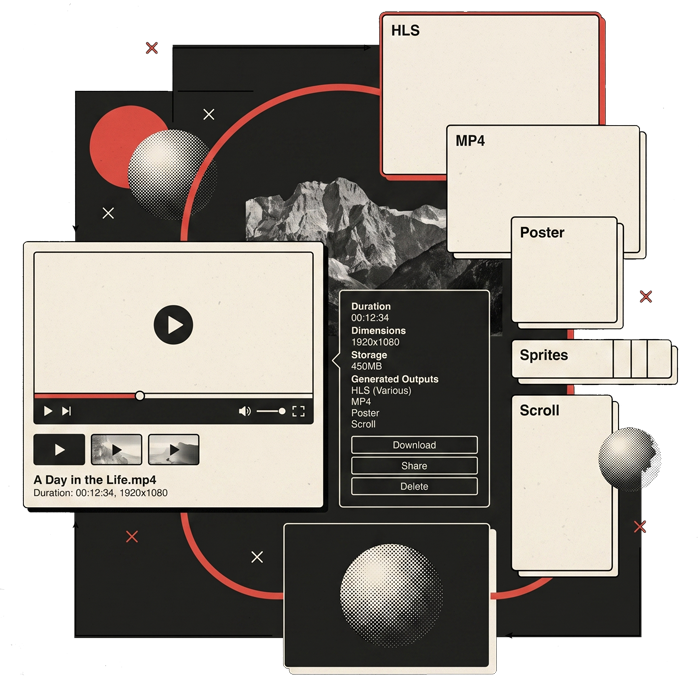
The platform detects the duration, dimensions, and characteristics of your file. Based on this information, it generates only the versions that make sense for your archive and your plan.
If the original is 1080p, it is not artificially upscaled to 4K. If it has a lower resolution, larger copies are not created that would not provide true quality.
03 The necessary outputs are generated
According to the video and the plan, Pomatio can produce:
- HLS versions in 360p, 720p, 1080p and 2160p;
- an optimized audio track where appropriate;
- a lightweight progressive MP4 for the default player and background videos;
- a cover image;
- preview thumbnails;
- sprites to visually navigate the timeline;
- and an additional version optimized for scroll-controlled experiences.
04 The video is ready to use
When processing is complete, the video appears as Ready in the library. From that point on, you can play it, copy its logical URL, add it to a page, use it as a background, or add it to a playlist.
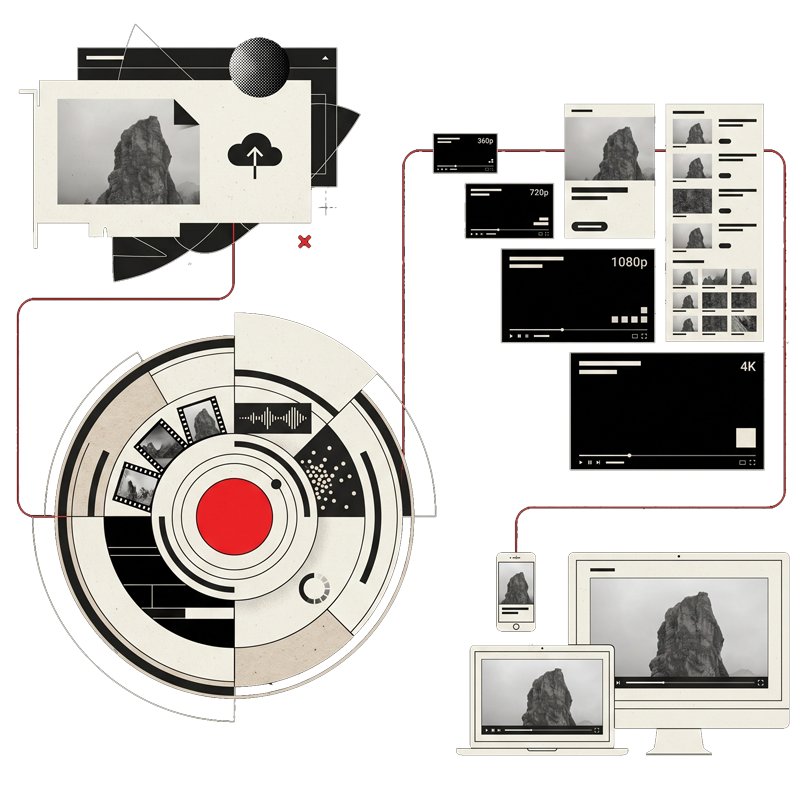

HLS
A reproduction that adapts as it happens
HLS stands for HTTP Live Streaming . Instead of forcing the browser to treat the video as a single file, it divides it into small segments and serves multiple versions with different resolutions and bitrates.
The player can choose which version it needs at any given time.
What advantages does it offer?

Start earlier
The browser doesn't need to download the entire video to begin. You can request the first few segments and start playback while waiting for the next ones.
It adapts to the connection
If the visitor's network connection deteriorates, the player may temporarily reduce the quality to prevent interruptions. If the connection improves again, it may increase the quality.
It takes into account the actual size of the player.
There's no point in sending 4K to a video that only occupies a small column. Pomatio limits the resolution based on the player's physical width and takes into account Retina or high-density displays.
Reduce waiting times and interruptions
Automatic playback combines the available screen size with the measured bandwidth. The goal is not to always select the highest resolution, but the best one that can be maintained stably.
Allows manual selection
When the quality controls are visible, the visitor can keep the automatic mode or select a specific resolution.
Private delivery, not a public URL forgotten on the internet
The original files and processed versions are stored privately. The player does not receive a permanent public URL that can be reused indefinitely.
When an authorized page needs to play a video:
- WordPress generates a temporary authorization.
- Pomatio checks that the site has access to the service.
- A private session is created, limited to the video and its active generation.
- CloudFront delivers the segments using short-lived credentials.
- The player silently renews the session while the page remains open.
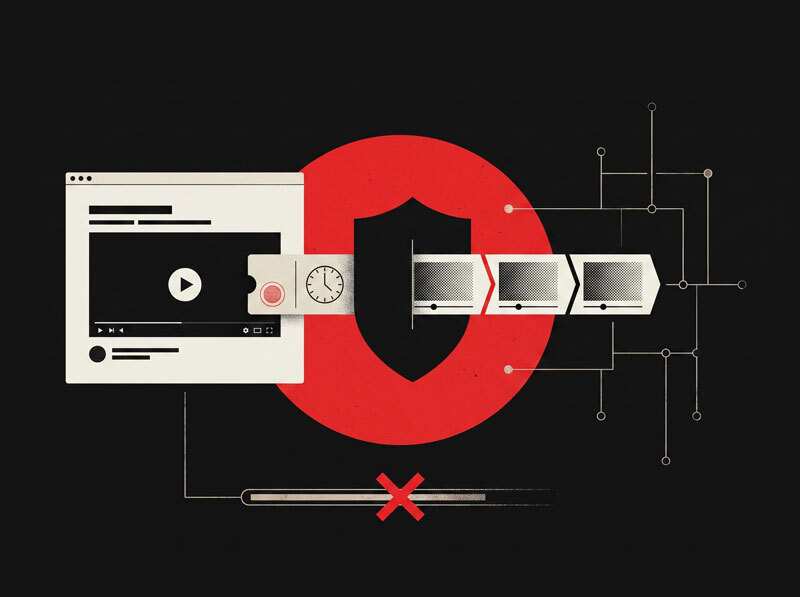
An unsigned URL is rejected. An expired URL stops working. Copying the video's logical address to another website does not provide permanent access to the file.
No download button or reusable link
The player does not offer a public download button or directly expose the original file. This makes hotlinking, URL sharing, and casual downloading difficult.
As with any content that can be played in a browser, no DRM-free system can completely prevent someone with advanced tools from capturing the received data or recording the screen. Pomatio protects delivery and eliminates permanent public access, but it doesn't present this protection as an impossible guarantee.
No advertising cookies from the player
Pomatio Video Hosting uses signed URLs, not signed cookies, to authorize playback. The player does not need to install its own advertising, cross-site tracking, or content recommendation cookies.
The website may continue to use cookies related to WordPress, analytics, ecommerce, or other services it has installed, but playing Pomatio Video Hosting does not, by itself, add an advertising network or an external tracking profile.
Amazon CloudFront
The video near each visitor
The videos are distributed via Amazon CloudFront, a globally present content delivery network.
When a resource is available in a location close to the visitor, CloudFront can serve it from its distribution network without repeating the entire journey to the original storage.
This translates to:
- Lower latency
- Faster playback start
- More stable delivery across different locations
- Reduction of load on the origin
- Ability to respond to more simultaneous playbacks.
Infrastructure is present when it provides speed and continuity, but does not invade your panel or the visitor experience.
A player that can look like part of your design
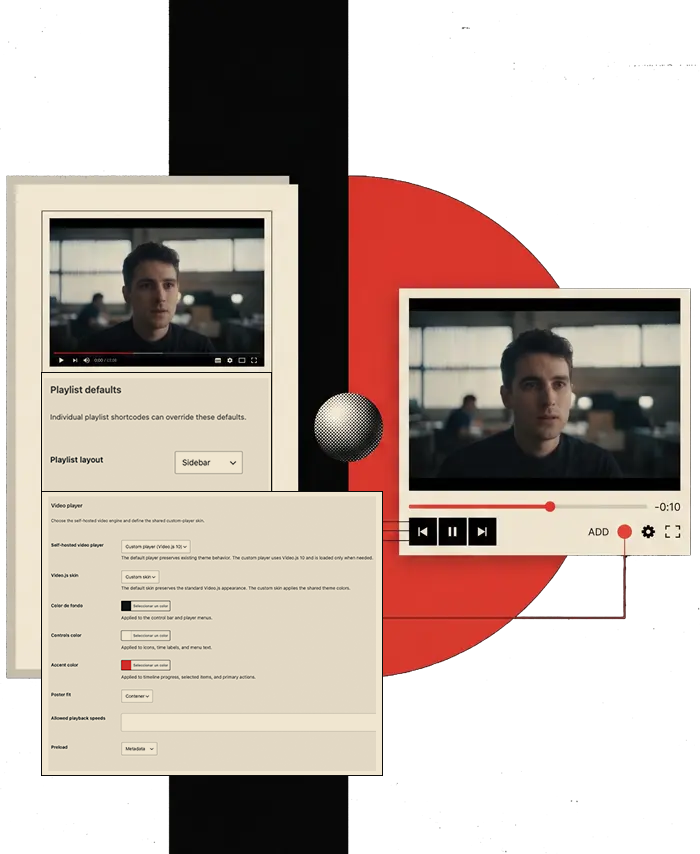
The custom player uses Video.js 10 and integrates with the POM Theme visual system.
You can define it for the entire site
- Main color
- Background color
- Control Color
- Progress bar color
- Text color
- Adjusting the cover image
- Allowed playback speeds
- Pre-loading policy
Then each video can decide which controls it needs.
- Volume
- Time elapsed
- Progress bar
- Subtitles
- Quality selector
- Speed
- Picture within a picture
- Full screen
A training video can show all the controls. A product demonstration can hide them, loop, and maintain a square, vertical, widescreen, or aspect ratio based on its original aspect ratio.
Preview before you scroll
Pomatio generates thumbnails of the video and groups them into sheets of images called sprites.
A sprite contains multiple video captures within a single image. A coordinate file tells the player which part to display at each point in the timeline.
When the visitor moves the cursor over the progress bar, they can see a small preview of what they will find before scrolling to that point.
Why use sprites?
- They allow you to visually locate a scene.
- They make watching long videos more comfortable.
- They help to return to a concrete explanation.
- They avoid having to load a separate image for each moment.
- They bring a common experience on professional video platforms.
Background videos without the interface of another platform
Use your videos as a background for a row, column, header, or visual block without displaying the logo, pause icon, or usual YouTube and Vimeo central controls.
The backgrounds use an optimized progressive MP4 and Jarallax's lightweight behavior. They don't need to load Video.js or generate a special scrolling version.

You can configure:
- Autoplay
- Silence
- Loop playback
- Start upon entering the viewport
- Pause when exiting viewport
- Pause when the tab is hidden
- Resumption only when playback belonged to autoplay
If the user had manually paused the video, Pomatio respects that decision.
The progressive file is ready to start without waiting for a full download and supports partial requests. This allows you to use a video hosted on Pomatio just like you would a local MP4, while maintaining private delivery and distribution via CloudFront.
Also for scroll-controlled animations
When you need page scrolling to control video progression, you can request an additional scroll-optimized output.
This version is designed for experiences such as:
- Reveal a product as the user scrolls
- Going through different phases of a process
- Visually disassemble a piece
- Explain an interface step by step
- Build an interactive narrative linked to displacement

Scrolling output is an additional feature. It is not required to play regular videos, use the default player, or display backgrounds with Jarallax.
 Loading animation
A video library designed for work
Pomatio Video Hosting adds a specific manager to WordPress under Media → Videos .
It's not a list of files without context. It's a library designed to upload, process, find, organize, and reuse audiovisual content.
The entire video state, in one place
- Qualification
- Original file name
- Upload and processing status
- Duration
- Resolution
- Storage used
- Outputs generated
- File
- Related playlists
- A reliable explanation if an error occurs

The Queued, Processing, and Ready states allow you to know what is happening without entering an external panel.
Large, reversible and controlled increases
You can drag multiple videos and track the progress of each one separately.
During the transfer you can
- Pause
- Resume
- Cancel
- Retry
- Check how much is left
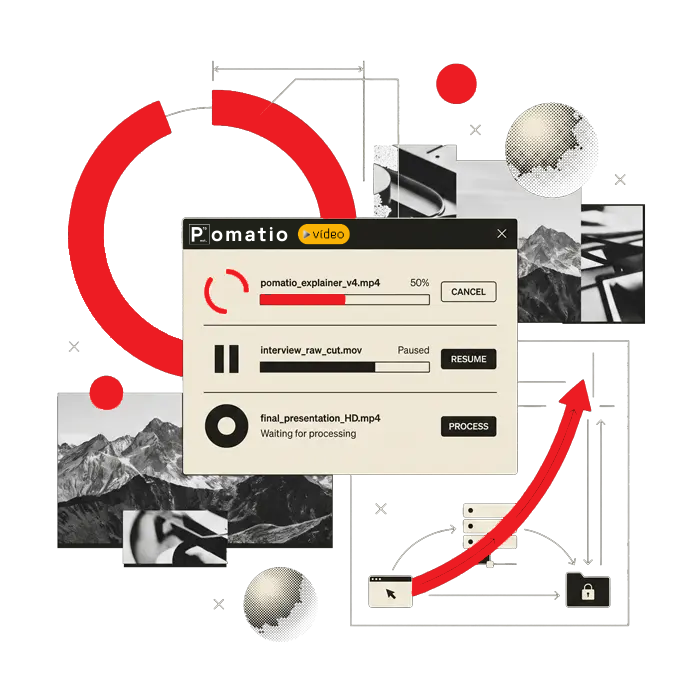
If your plan's processing capacity is full, the file you've already finished uploading can be safely saved until you resume work. You don't need to resubmit it.
Details and actions without losing context
Open a video to review its private preview, dimensions, duration, storage, and generated versions.
From the same view you can
- Change the title
- Move it to another folder
- Reprocess it when appropriate
- Request or delete the scroll version
- Copy your logical URL
- Open your synchronized editorial content
- Request its permanent deletion
Deletion is a controlled process. The video stops authorizing new playback, and storage is not released until the system confirms that the original and all processed versions have been deleted.
Folders for organizing without altering the publication
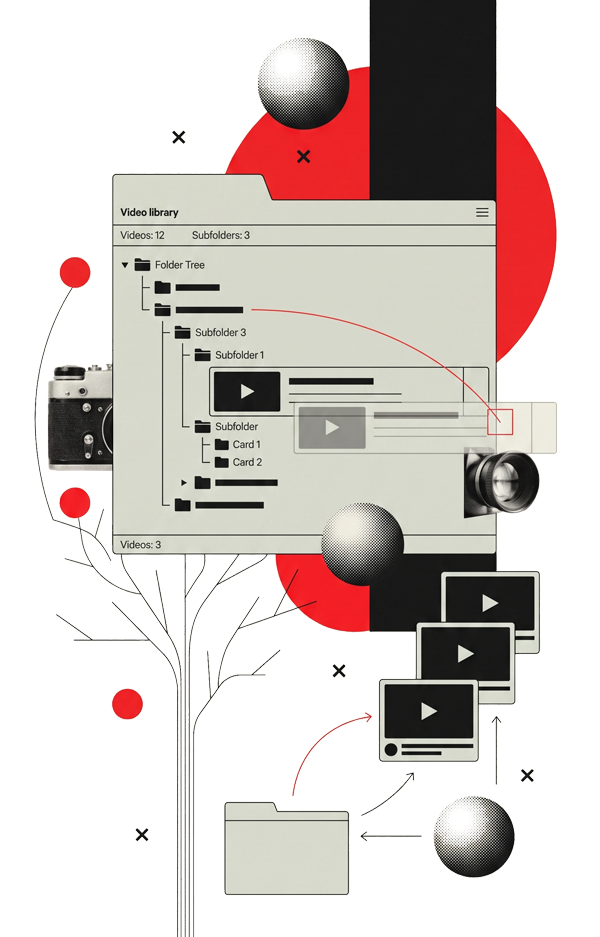
Create folders and subfolders to adapt the library to the way your team works.
You can organize by:
- Customer
- Project
- Course
- Bell
- Language
- Product
- Season
- Any structure that makes sense for your content
The tree remains open and each folder directly shows how many videos it contains.
You can move a video by dragging it or select multiple videos to move them in batch. Deleting a folder does not delete its videos: they are returned to the parent folder along with their subfolders.
Folders are used for administrative purposes. They do not change the public identity of the video or the playlists it is part of.
Find the video you're looking for

The library allows:
- Search by title
- Search by original file name
- Filter by state
- Filter by playlist
- Sort the results
- Change page
- Select multiple videos
- Move them in batches
- Add them together to a playlist
Administrators, editors, and store managers can manage the library according to their WordPress permissions. General service settings remain reserved for administrators.
Playlists that are also managed from WordPress
A playlist is a reusable sequence of hosted videos.
The same video can appear in multiple playlists without duplicating files or altering its folder.
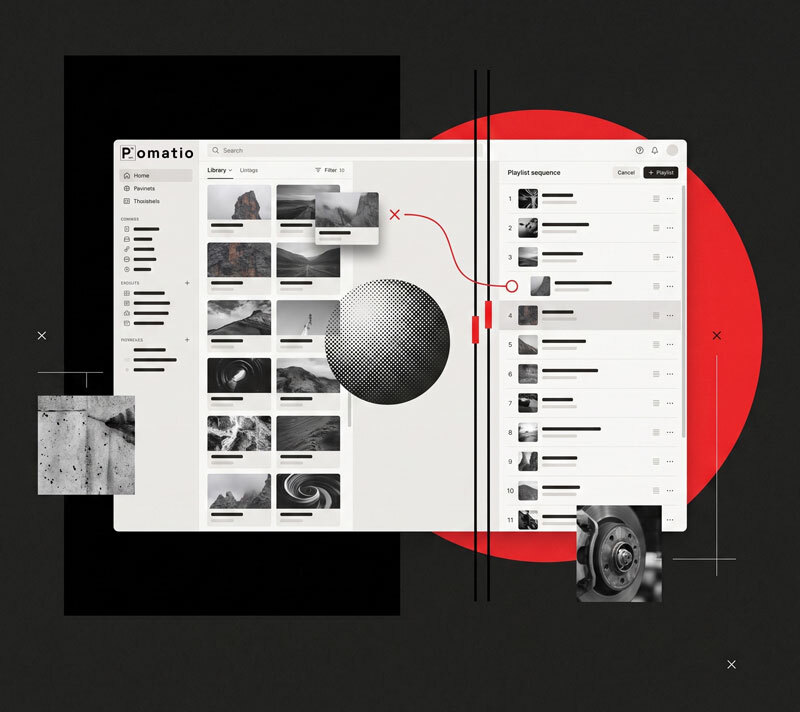
Create and organize visually
The playlist editor separates the available videos from the published sequence.
Can:
- Search in the library
- Filter by folder
- Add videos
- Remove them from the sequence without deleting them
- Sort by dragging and dropping
- Use up and down buttons
- Save as draft
- Post
- Keep playlist private
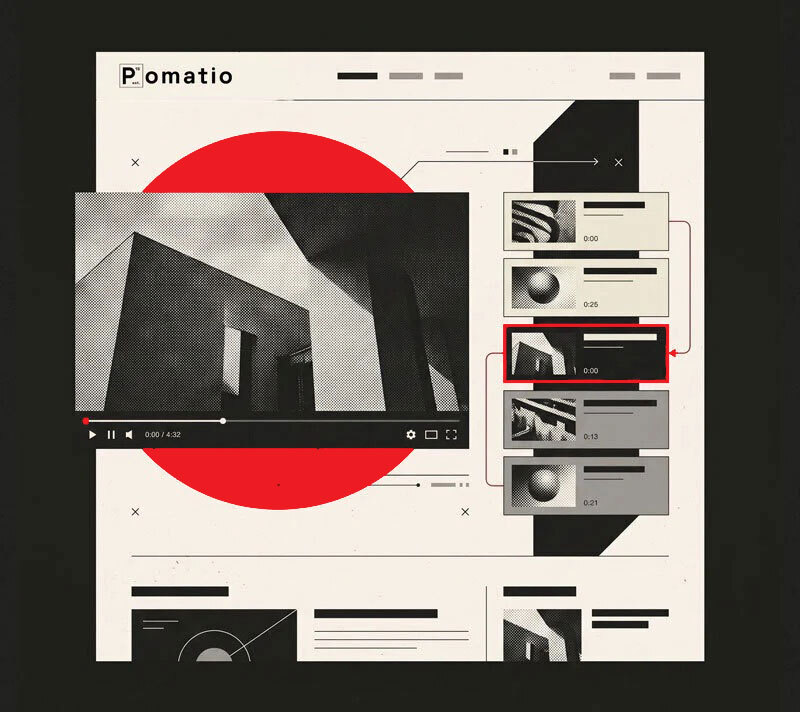
Insert the sequence wherever you want
Each playlist has a shortcode that you can place on pages, content, or templates.
The visitor can select any video and view its title, duration, and cover art.
The playlist can be displayed:
- With side navigation
- Below the player
- With autoplay between elements
- On loop
- With visible or hidden titles
- With a specific selection of controls
Videos that are no longer available are safely skipped without breaking the rest of the sequence.
An experience for every type of video

Training and courses
Adaptive streaming, speed selector, timeline navigation, and sorted playlists.
Product demonstrations
Videos without controls, original aspect ratio, autoplay when entering the screen, and loop playback.
Headers and backgrounds
Progressive MP4, Jarallax and absence of third-party logos or interfaces.
Private content
Delivery via temporary sessions and storage not publicly accessible.
Success stories and portfolios
Players adapted to the brand's visual identity, without advertising or external recommendations.
Documentation and support
Playlists by product, preview thumbnails, and quick access to each explanation.
Interactive narratives
Optimized versions to control video progression by scrolling.
Choose between default player and custom player
Pomatio Video Hosting does not require you to always use the same system.
Default player
It maintains the usual lightweight behavior of POM Theme and uses web-ready progressive MP4.
It is suitable for:
- Simple videos
- Funds
- Lightweight compositions
- Pages where you don't need advanced controls
Custom player
Use Video.js 10 and add:
- HLS Streaming
- Automatic quality
- Manual resolution selector
- Sprites
- Speeds
- Picture within a picture
- Configurable controls
- Custom skin
Video.js is loaded conditionally. Pages that don't need the custom player don't have to load the entire library.
Autoplay that respects the page and the visitor
Configure each video according to the interaction you need:
- Autoplay on load
- Autoplay when entering the viewport
- Playback on hover
- Start after the first interaction
- Loop playback
- Automatic silence
- Pause when exiting the viewport
- Pause when hiding the tab
- Controlled resumption
When an autoplay video has a cover image, the cover remains visible until the video is actually ready to start. No loading message or spinner appears to disrupt the flow.
Browsers typically require autoplay to start without sound. Pomatio applies this behavior when necessary to provide a reliable experience.
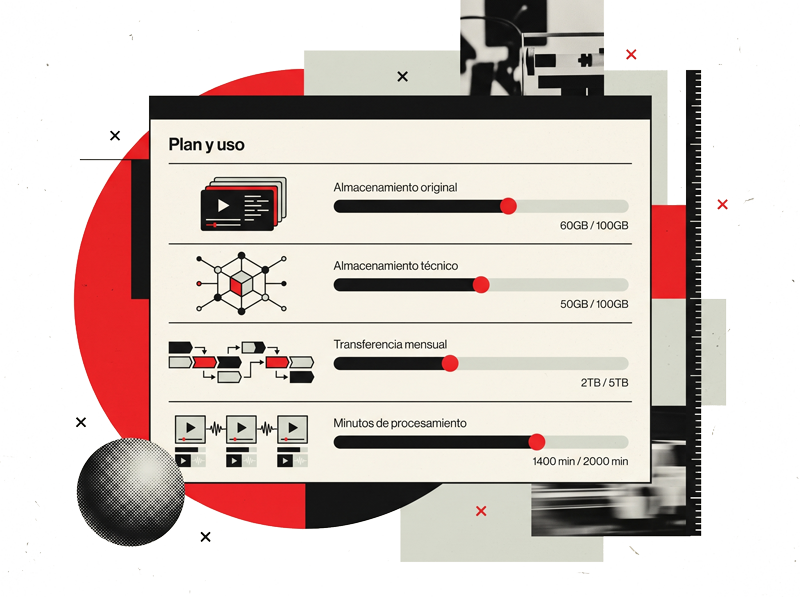
Consumption, visible and under control
The library shows the usage of:
- Original storage
- Technical storage
- Monthly transfer
- Processing time (minutes)
The alerts let you know when your quota is nearing its limit. The service doesn't automatically delete videos to free up space and doesn't charge for excess storage without your authorization.
The transfer is calculated based on the bytes actually delivered to the visitor, not by a fixed rate per minute played.
If a looping video remains available in the browser's buffer, subsequent loops can reuse it without re-downloading all the data. If the browser requests new segments, changes the quality, or refreshes the resource, those new bytes do count as data transfer.
Pomatio also reduces unnecessary consumption by pausing background videos that leave the viewport or when the tab is hidden.
Plans for

All plans include direct upload, processing, private playback, HLS streaming, progressive MP4, poster, sprites, library, folders, playlists, and POM Theme integration.
Start
€7.90/month
€86.90/year
One free month
Small websites and early videos
1 site
5 GB
100 GB
10 min
2 GB
Full HD 1080p
Up to 60 seconds
Up to 2
1
Standard
7 days
Pro
€24.90/month
€273.90/year
One free month
Professional websites and training
1 site
25 GB
500 GB
60 min
5 GB
4K 2160p
Up to 90 seconds
Up to 3
2
Standard
7 days
Business
€59.90/month
€658.90/year
One free month
Extensive academies and libraries
1 site
100 GB
1 TB
120 min
10 GB
4K 2160p
Up to 90 seconds
Up to 4
3
Priority
7 days
Scale
€199.90/month
€2,198.90/year
One free month
Large libraries and several publishers
1 site
1 TB
2 TB
180 min
20 GB
4K 2160p
Up to 90 seconds
Up to 6
4
Priority
7 days
Prices exclude VAT. Each subscription is for one site only. Transfer and processing minutes are renewed monthly.
Adaptive versions generated by the system do not count against the original contracted storage. The service also applies a technical physical storage limit to protect the platform's functionality.
Included in all plans
Direct and resumable upload from WordPress.
Automatic processing.
HLS adaptive streaming.
Progressive MP4 for default playback and backgrounds.
Private delivery via signed URLs.
Global distribution via Amazon CloudFront.
Integrated player without third-party advertising.
Automatic quality based on device and connection.
Automatic poster generation.
Sprites and temporary preview.
Video library.
Folders and subfolders.
Search, filters, and batch actions.
Reusable playlists.
Integration with pages and templates.
Background videos using Jarallax.
Scroll-controlled video option.
Storage, transfer, and processing controls.
Warnings before reaching the plan limits.
No automatic overage charges.
No. The upload is initiated from WordPress, but the file travels directly from your browser to the video's private storage. This avoids sending large files through the standard PHP upload process.
Pomatio generates HLS renderings that correspond to the original resolution and plan, as well as a progressive MP4, poster, and sprites. Additional scroll output is generated upon request.
No. The platform does not upscale videos beyond their original resolution. Plans with 4K support allow you to preserve and process sources that actually have that resolution.
Automatic mode can select a lower bitrate to maintain playback. If the connection improves, it can increase the quality again.
Yes, when quality control is enabled. You can also keep the recommended automatic mode.
Yes. Each player can decide which controls to display. You can create demos, loops, and decorative videos without a visible interface.
Yes. The player can respect different aspect ratios, including the original aspect ratio of the video.
Yes. The backgrounds use progressive MP4 via Jarallax and do not need to load Video.js. Enabling additional scroll output is not necessary.
It's an additional version designed so that the video's progression can be linked to the page scrolling. It's intended for visual storytelling and product interactions, not for conventional playback.
These are compact sheets containing numerous video thumbnails. They allow you to preview the video by moving the cursor over the progress bar.
Yes. You can create draft playlists, public or private, organize your videos, and display them with side or bottom navigation.
Yes. Adding a video to a playlist doesn't duplicate it or move it to a different folder.
The stored files are not public. Playback uses sessions and temporary signed URLs. The authorized site requests the necessary credentials when the visitor plays the content.
There is no download button or permanent URL to the original file. This prevents casual downloads and makes it difficult to share links or reuse the video on another website.
However, no video playable in a browser can be completely protected against screenshots or advanced technical tools. Pomatio Video Hosting offers private delivery via signed URLs, but it is not a DRM system.
The player does not require its own advertising or tracking cookies. It uses signed URLs to authorize delivery. Other website components may use their own cookies depending on their settings.
No. There are no ads, external recommendations, or elements intended to send the visitor to another platform.
The player is designed to integrate with the website's visual identity. It does not add the interface or recommendations typical of a public video platform.
The bytes delivered to visitors are counted. The amount depends on the selected resolution, bitrate, download duration, and browser cache behavior.
No. No automatic charges are applied. As you approach the limit, warnings will be displayed, and once the protection threshold is reached, new sessions may not be issued until the plan is renewed or upgraded.
No. Videos are not automatically deleted to reduce usage.
Administrators, editors, and other authorized WordPress users can manage videos according to their capabilities. General settings remain reserved for administrators.
Pomatio Video Hosting is part of the Pomatio managed platform and is available for sites linked to a compatible subscription.
Video as part of your platform
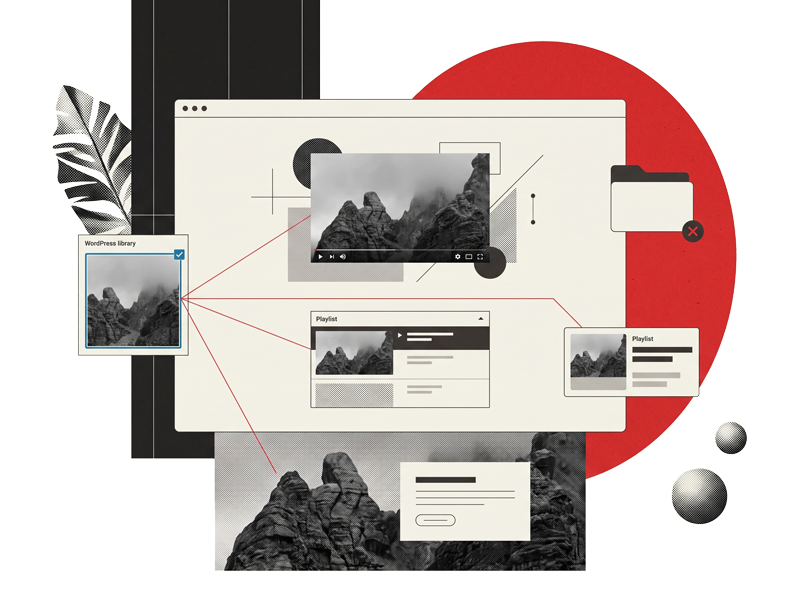
You don't need to fit your design into another company's player.
You don't need to split your work between WordPress, a video provider, a file manager, and a playlist tool.
Pomatio brings together uploading, processing, organizing, private playback, and delivery infrastructure into a coherent experience.
You work with your videos from WordPress. The engineering remains behind the scenes, ready to deliver them.